Download 1DM APK for Android and learn about installation, features, compatibility, storage, and safe ways to use the 1DM download manager.
1DM Download – APK for Android
Looking for 1DM download for Android? 1DM is a download manager that combines download-management tools with a built-in browser, giving users more control over supported file transfers, media downloads, and downloaded files.
This page explains 1DM APK download, installation, compatibility, download features, and important points to check before installing the application on an Android device.
1DM APK Download
1DM APK is the Android application package used to install 1DM on compatible Android devices. Before installing an APK manually, always make sure that the file comes from a trustworthy source and matches the application and version you intend to install.
1DM Download Information
| Information | Details |
| App | 1DM |
| Type | Download Manager & Browser |
| Platform | Android |
| Package | Android application package |
| Main Purpose | Download management |
| Browser | Built-in browser |
| Download Controls | Pause, resume, and management options |
| Website | 1dm.co.in |
Why Download 1DM?
A dedicated download manager can be useful when the standard browser download system does not provide enough control over your transfers.
With 1DM, users can manage supported downloads from a central interface and access features designed around download organization.
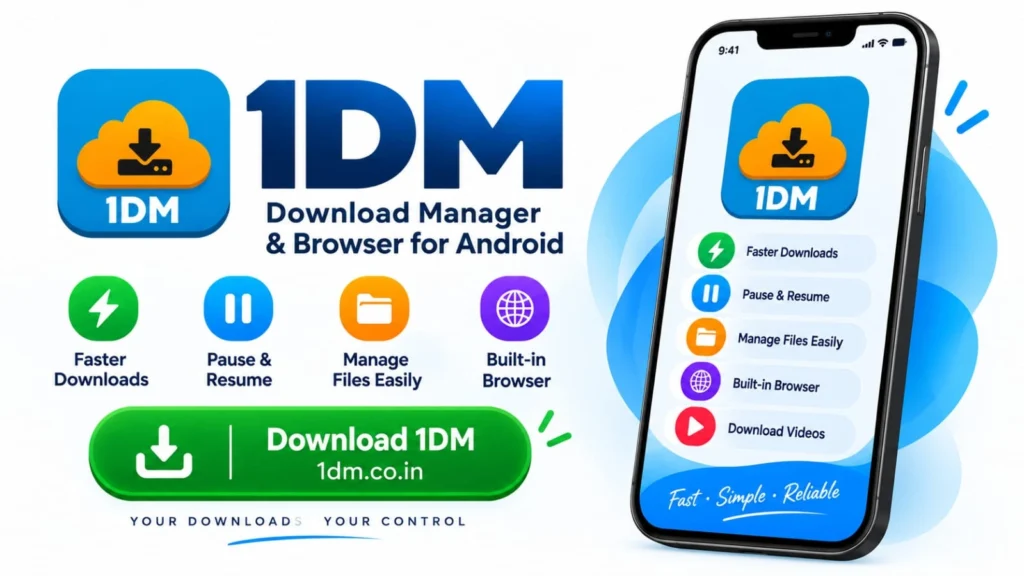
Some of the commonly useful capabilities include:
- Managing multiple downloads
- Pausing and resuming supported downloads
- Background download management
- Download queues
- File categorization
- Integrated browser
- Supported media download workflows
- Torrent and magnet-link support
- Download organization
Feature availability can vary depending on the installed version, Android version, device, and the website being accessed.
1DM Download Manager Features
Multiple Downloads
1DM provides a dedicated download list where users can monitor multiple transfers instead of relying only on a browser’s basic download interface.
Pause and Resume
Supported downloads can be paused when you need to free network resources and resumed later when the connection is available again.
Background Downloads
1DM can manage supported downloads while you use other applications. Android battery and background-activity restrictions may affect this behavior on some devices.
Download Queue
A queue can help organize several downloads and control which transfers should be processed.
File Organization
Downloaded files can be organized according to their type and selected storage settings, making it easier to find completed downloads.
Built-In Browser
The integrated browser allows users to browse supported websites and manage compatible downloads without constantly switching between separate applications.
1DM Browser and Media Downloads
The 1DM browser is designed to work together with the download manager.
When compatible downloadable content is detected, users may be able to select an available download option and send it to the download manager.
Video Downloads
1DM can manage supported video download workflows when a website exposes compatible downloadable resources.
However, not every online video is downloadable. Website restrictions, content protection, authentication, format, and copyright or licensing conditions can prevent downloading.
Users should download only content they have permission to download.
Audio and Other Files
The same download-management workflow can be used for supported audio, documents, archives, images, and other downloadable files.
How to Download 1DM APK
If you are installing the application manually, follow these general steps:
Find a Trusted Source
Obtain the 1DM APK from a source you trust. Avoid modified or suspicious packages from unknown websites.
Check the Version
Before installation, confirm the version information and Android compatibility requirements.
Download the APK
Start the 1DM APK download and wait until the file has been completely downloaded.
Open the APK
Locate the downloaded APK using your Android file manager and open it.
Allow Installation if Required
Android may require permission for installing applications from sources outside your normal app store. Only enable this permission when you understand the source you are using.
Install 1DM
Follow Android’s installation instructions and wait for the process to finish.
Open 1DM
After installation, open the application and review its available settings and permissions.
1DM Android Compatibility
Before installing 1DM for Android, check the requirements associated with the specific version you are downloading.
Compatibility can depend on:
- Android version
- Device hardware
- Available storage
- Processor architecture
- Application version
- Android security restrictions
Older and newer Android versions may handle storage and permissions differently.
1DM APK Safety Tips
When downloading an Android APK, the source of the file matters.
Verify the Source
Use a reputable source and avoid websites offering suspicious modified versions.
Avoid Modified APKs
Modified, cracked, or altered APK files can introduce unwanted software or change the behavior of an application.
Check Permissions
Review the permissions requested during installation and consider whether they make sense for the application’s functionality.
Keep Android Updated
Using a supported Android version with current security updates can reduce security risks.
Scan Suspicious Files
If you have concerns about an APK, consider checking the file with a reputable security solution before installing it.
Where Are 1DM Downloads Stored?
After installing 1DM, downloaded files are saved according to the application’s storage configuration and Android’s storage rules.
A path sometimes associated with video downloads is:
/storage/emulated/0/download/1dm/videos
However, the exact location can vary depending on your settings, application version, and Android version.
If you cannot find a downloaded file, first check the download location configured in 1DM and then use your Android file manager.
How to Manage Downloads After Installation
Once 1DM is installed, you can use its download interface to manage supported transfers.
Start a Download
Use the integrated browser or provide a supported download link.
Monitor Progress
Check active transfers from the download list.
Pause a Download
Pause a supported transfer when you need to temporarily stop it.
Resume a Download
Resume the transfer later when the download source and connection still support continuation.
Find Completed Files
Open the appropriate download category or configured storage folder to access finished files.
1DM Download vs Regular Browser Download
A regular browser can handle basic downloads, but a dedicated download manager provides additional controls.
| Feature | Regular Browser | 1DM |
| Basic downloads | Yes | Yes |
| Dedicated download list | Limited | Yes |
| Pause/resume controls | Depends on browser | Supported downloads |
| Multiple download management | Limited | Yes |
| Download organization | Basic | More dedicated controls |
| Integrated download-focused browser | Depends on browser | Yes |
| Download queue | Limited | Available features vary |
The exact feature set can vary by browser, Android version, and 1DM release.
1DM vs Internet Download Manager
1DM and Internet Download Manager are different applications.
1DM is primarily associated with Android, while Internet Download Manager is a separate desktop download-management product. Their similar names can cause confusion when users search for “1DM,” “1 DM,” or “IDM.”
If you are specifically looking for the Android application, make sure you are researching 1DM (One Download Manager) rather than assuming it is the same product as Internet Download Manager.
1DM APK Download FAQs
What is 1DM APK?
1DM APK is the Android application package used to install the 1DM application on compatible Android devices.
How do I download 1DM?
Find a trustworthy distribution source, check the version and compatibility information, download the APK if you are installing manually, and follow Android’s installation process.
Is 1DM available for Android?
Yes. 1DM is primarily an Android-focused download manager with an integrated browser.
Can I install 1DM without an app store?
Android can allow manual APK installation, depending on your device’s security settings. If you install manually, use a trustworthy source and verify the file before installation.
Can 1DM download videos?
1DM can manage compatible video downloads when the website exposes downloadable resources. Availability depends on the website and applicable restrictions.
Does 1DM support background downloads?
1DM provides background download-management functionality, although Android’s battery and background restrictions can affect downloads on some devices.
Can I pause and resume downloads in 1DM?
Supported downloads can be paused and resumed through the download manager.
Where does 1DM save downloaded videos?
The location depends on your storage settings and Android version. A commonly referenced path is /storage/emulated/0/download/1dm/videos, but it may differ on your device.
Is 1DM the same as IDM?
No. 1DM and Internet Download Manager are separate applications. 1DM is primarily associated with Android, while Internet Download Manager is a separate desktop product.
Can I use 1DM on a PC?
1DM is primarily designed for Android. Running an Android application on a PC may require a compatible Android environment or emulator.
Final Thoughts on 1DM Download
1DM download is primarily relevant to Android users who want a dedicated environment for managing supported downloads. Its combination of download controls, file organization, and an integrated browser can make everyday download management more centralized.
Before installing 1DM APK, check the version, Android compatibility, source, and requested permissions. For manual APK installation, choosing a trustworthy source is especially important.
For more information, explore our guides covering 1DM browser, how to use 1DM, Android compatibility, and download management.